Discord webhooks have been the default boss-spawn notification mechanism in MMORPG guilds for so long that most members assume they're as good as it gets. Set up the webhook, point it at your guild's bosses channel, configure mobile notifications on Discord, done.
Then the spawn fires at 7:42 pm, your phone is on the dinner table with Discord muted because someone in another server has been spamming all afternoon, and you find out about the kill the next morning when someone posts the screenshot.
This is not Discord's fault. It's the inevitable result of using a general-purpose chat app as a dedicated alerting channel. Raidium ships a native Android app for the same reason every serious tool eventually ships a native app: there are alerts you cannot afford to miss, and they need their own delivery pipeline.

Why Discord webhooks degrade as your alerting layer
A Discord webhook is a perfectly good broadcast mechanism. It's a poor alerting mechanism, for three reasons that compound over time:
- Discord notifications are muted in aggregate. If any server you're in becomes noisy, you mute Discord at the OS level, and now every server's alerts go silent. There is no way to keep Raidium's webhook loud while muting unrelated chat.
- Discord competes with itself for attention. A boss-spawn notification arrives in the same notification stream as a meme, a friend request, and an unrelated voice call invite. Members start dismissing notifications without reading them.
- Webhook delivery is server-to-server, not server-to-device. Discord delivers when Discord decides to, not when the spawn happens. There's no end-to-end ownership of latency.
Dedicated push notifications fix all three. They arrive in their own app, on their own notification channel, with their own mute settings — you can silence Discord and still get rally-up reminders, or vice versa.
What the Raidium Android app actually does
The app is a Capacitor wrapper around the same Raidium web interface, with native plumbing added for the things browsers can't do. Practically that means:
- The app loads
www.raidium.questinside a webview, so the UI is identical to the web version. You don't relearn anything. - On first launch (after login), the app requests push permission and registers an FCM token tied to your guild, your user account, and the specific device.
- Server-side, every supported event type checks the user's notification preferences and dispatches push via Firebase Cloud Messaging.
- Tapping a notification deep-links into the relevant page in the app — tap a boss-spawn notification, land on the boss tracker.
If you log in as a different account on the same device, the previous account's push token is removed. If FCM tells the server a token has gone stale ("registration-token-not-registered" or "invalid-registration-token"), it's pruned automatically — you won't accidentally receive notifications meant for someone who logged out months ago.
The 19 notification types you can selectively enable
Notification preferences are per-user and per-category. Toggle a category off and the server stops dispatching push for it; it doesn't just suppress on the device, it skips the work entirely. Currently supported:
- Attendance — recorded, updated
- Points — earned, penalty (single + bulk)
- Marketplace — outbid, new item listed, auction won, auction lost (single + bulk)
- Requests — fulfilled, rejected
- Alliance — invitation received, invitation accepted, invitation rejected, guild left alliance
- Funds distribution — finalised
- Power surveys — created, approved, rejected
- Rally up — boss spawn reminders (the one most people install the app for)
That's 19 distinct trigger points, each independently togglable. The rally-up reminder is the headline feature — it's what fires for boss spawns and what survives whatever you've done to mute Discord — but the alliance and request notifications are quietly the most useful for officers who actually run the guild day-to-day.

Installing the app
The Android APK is currently distributed through the Raidium Discord. There's no Play Store listing yet (it's in progress), so the install path looks like this:
- Join the Raidium Discord server.
- Find the
#🤖・android-releaseand download the latest APK. - On your Android device, allow installs from your file manager / browser if you haven't before.
- Open the APK and install it.
- Launch Raidium, log into your guild, and grant push permission when prompted.
That's the entire flow. Once the app is installed and you've granted permission, your device shows up in the guild's push subscription list and you start receiving notifications for whatever categories you've enabled.
If you don't have access to the Raidium Discord and need an APK, ask your guild's super administrator — they'll have the latest link. iOS is not currently supported and there's no public ETA.
How the settings live in the same place as everything else
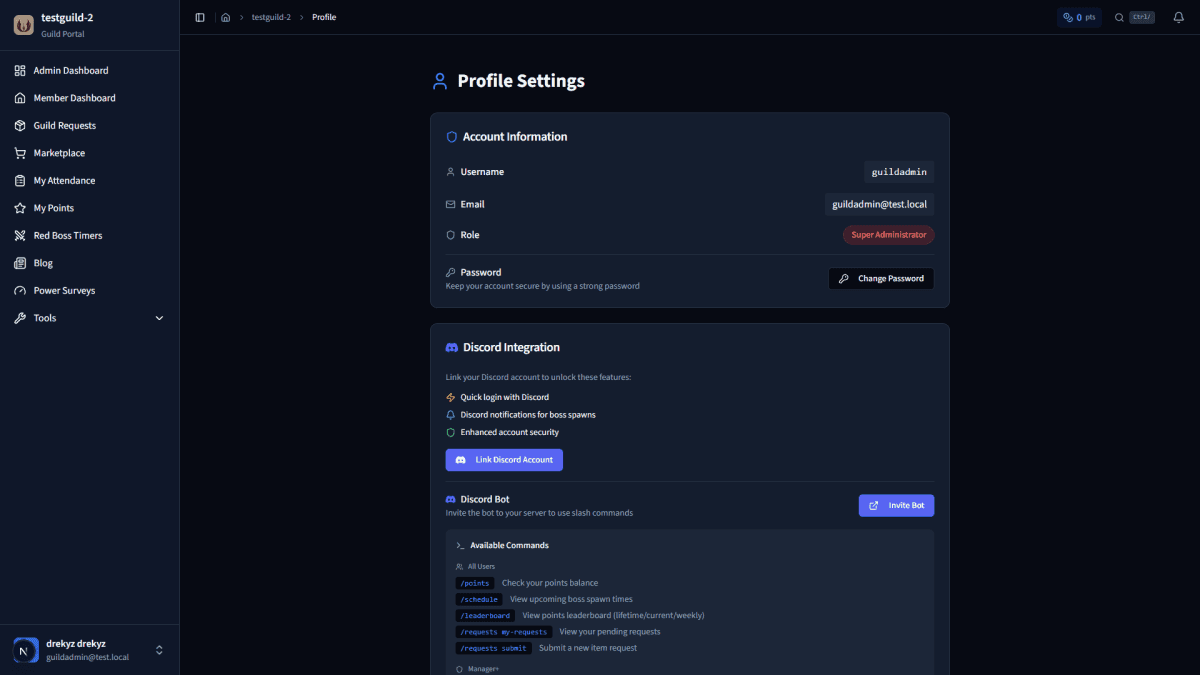
Notification preferences are part of your user profile, which means they travel with you. Switch devices, reinstall the app, log into a different guild on the same account — your preferences come with you. There is no separate "app settings" screen to maintain alongside web settings, because the app is just a native shell over the web app.
You can verify your push registration is working by checking the profile page's push section after installing — if your device is listed, the registration succeeded. If it's not, force-quit the app, relaunch, and confirm permission was granted at the OS level.
When mobile push earns its install
If you only ever play on a desktop and have Discord open at all times, you genuinely don't need this. Webhooks will reach you fine.
If you've ever missed a spawn because your phone was silenced, lost a bid because you didn't see the outbid notification, or missed an alliance invitation because it landed in a Discord channel you don't actively watch — the app exists for that. Five-second install path, opt-in per category, server-side filtering so you only get noise for the things you care about.
The webhook still works. This is just the layer that catches what the webhook misses.